
Email verification and campaign intelligence
Verify Emails. Protect Your Sender Reputation. Reach More Inboxes.
Stop bounces before they hurt your business. Clean your email lists, detect risky contacts, reduce bounce rate, and launch campaigns from one dashboard built for trustworthy outreach.
200 free verifications
Bulk list cleaning
Real-time API
Plans from $12/month
Unified Outreach Platform
One platform to verify emails, clean lists, create content, and send campaigns.
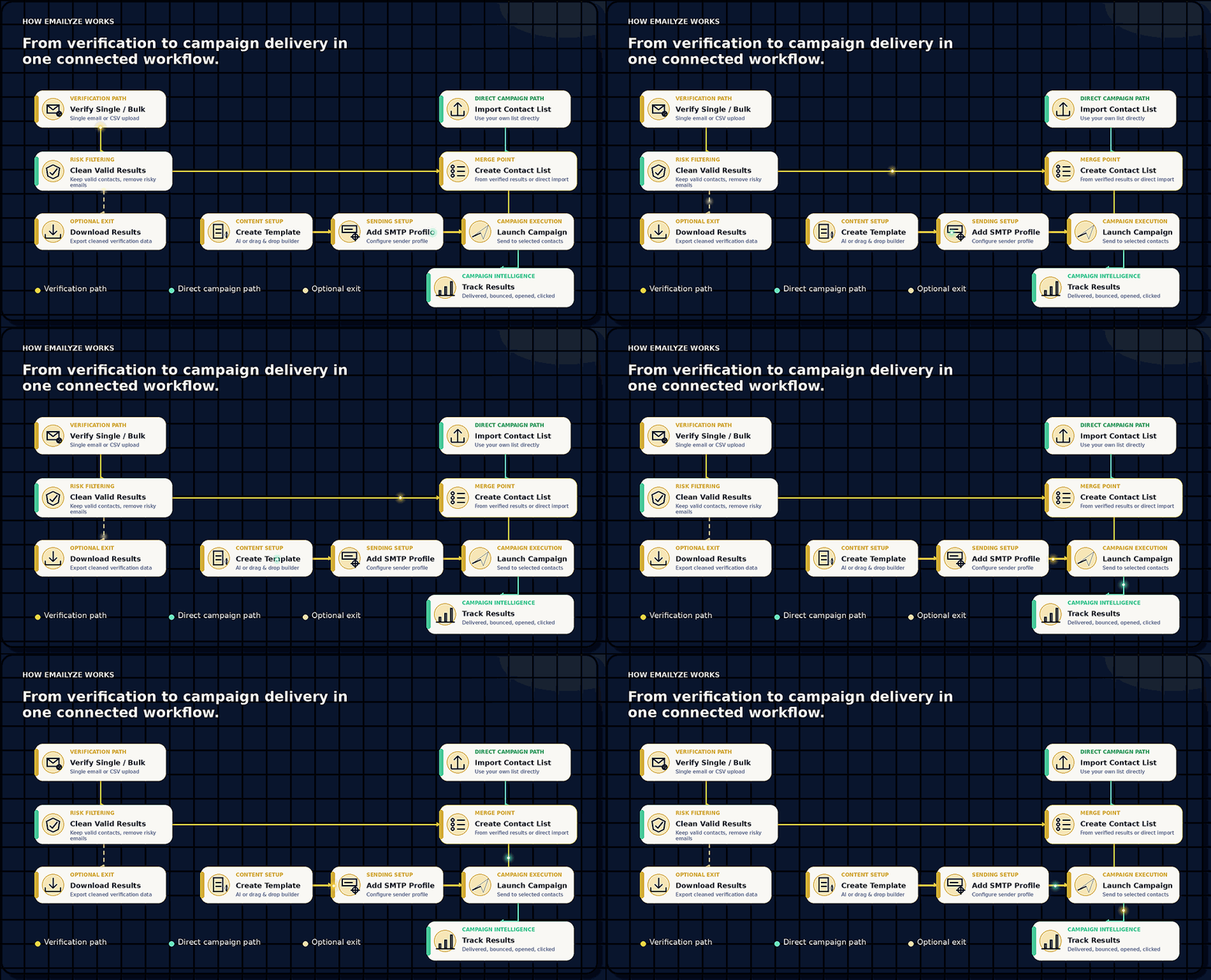
How Emailyze Works
From verification to campaign delivery in one connected workflow.
Verify contacts, build lists, launch campaigns, and track outcomes - or use verification and campaign tools independently.
- 01Verify Single / BulkSingle email or CSV upload
- 02Clean Valid ResultsKeep valid contacts, remove risky emails
- 03Download ResultsOptional export path
- 04Import Contact ListAlternate entry into contact lists
- 05Create Contact ListMerge verified results or imported lists
- 06Create TemplateAI or Drag & Drop
- 07Add SMTP ProfileConfigure sender profile
- 08Launch CampaignSend to selected contacts
- 09Track ResultsDelivered, bounced, opened, clicked
Free Email Verifier
Verify any email address instantly — no login required.
Check email quality, detect risky contacts, and protect sender reputation before every campaign.
Why Emailyze
Built to protect your sender reputation before every campaign.
Emailyze helps teams remove risky contacts, reduce bounce rates, verify lists at scale, and launch campaigns with cleaner, campaign-ready data.


Core features
Everything your team needs to protect deliverability before every send.
Emailyze brings verification, risk detection, list hygiene, campaign management, and reporting into a single branded experience.

Email Verification
Validate email addresses before they hurt deliverability, waste credits, or reduce campaign performance.
Real-time
Valid / Invalid / Risky Detection
Classify contacts into clean, risky, invalid, disposable, and low-confidence segments with clear quality signals.
Risk signals
Bulk Email Upload
Upload CSV lists, process large batches, monitor progress, and download campaign-ready results.
Bulk ready
Campaign Management
Create templates, manage audiences, configure sender profiles, and prepare campaigns from one workspace.
Campaign ready
Reports & Analytics
Track verification usage, campaign outcomes, delivery logs, failed contacts, and list health trends.
Insights
List Cleaning
Remove risky and poor-quality emails before launch to keep lists healthier and outreach more effective.
List hygieneWhy teams use Emailyze
Built for cleaner sending, lower risk, and stronger campaign performance.
Every validation is designed to help your team make better sending decisions before emails reach the campaign queue.
Protect sender reputation
Keep invalid and risky addresses away from your campaigns before they affect inbox placement.
Reduce bounce rate
Clean lists before sending so your outreach starts with higher-quality recipients.
Improve campaign deliverability
Give campaigns a better foundation with verified contacts and clearer list quality signals.
Secure and privacy-first
Use verification workflows designed around controlled access, clear usage limits, and safer data handling.
API for developers
Connect verification into product workflows, signup forms, enrichment flows, and internal tools.
How it works
From raw list to cleaner campaign in three simple steps.
A practical workflow for teams that want fewer wasted sends, healthier data, and better visibility from the first upload to campaign reporting.
Upload your list
Import CSV files or validate individual contacts from the dashboard.
Verify emails
Run quality checks and classify each address with clear validation signals.
Launch campaigns
Move cleaner contacts into lists, templates, SMTP profiles, campaigns, and reports.
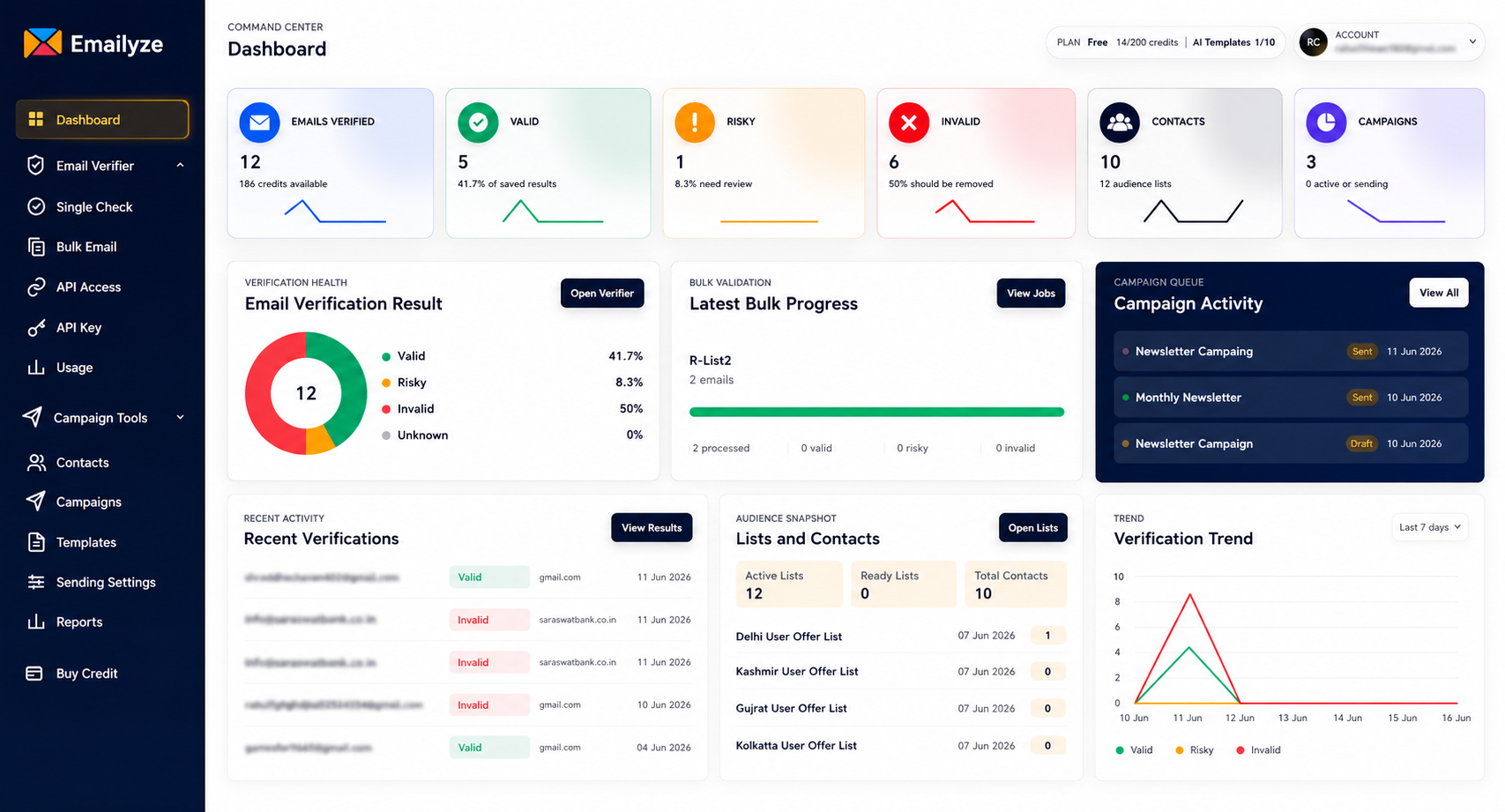
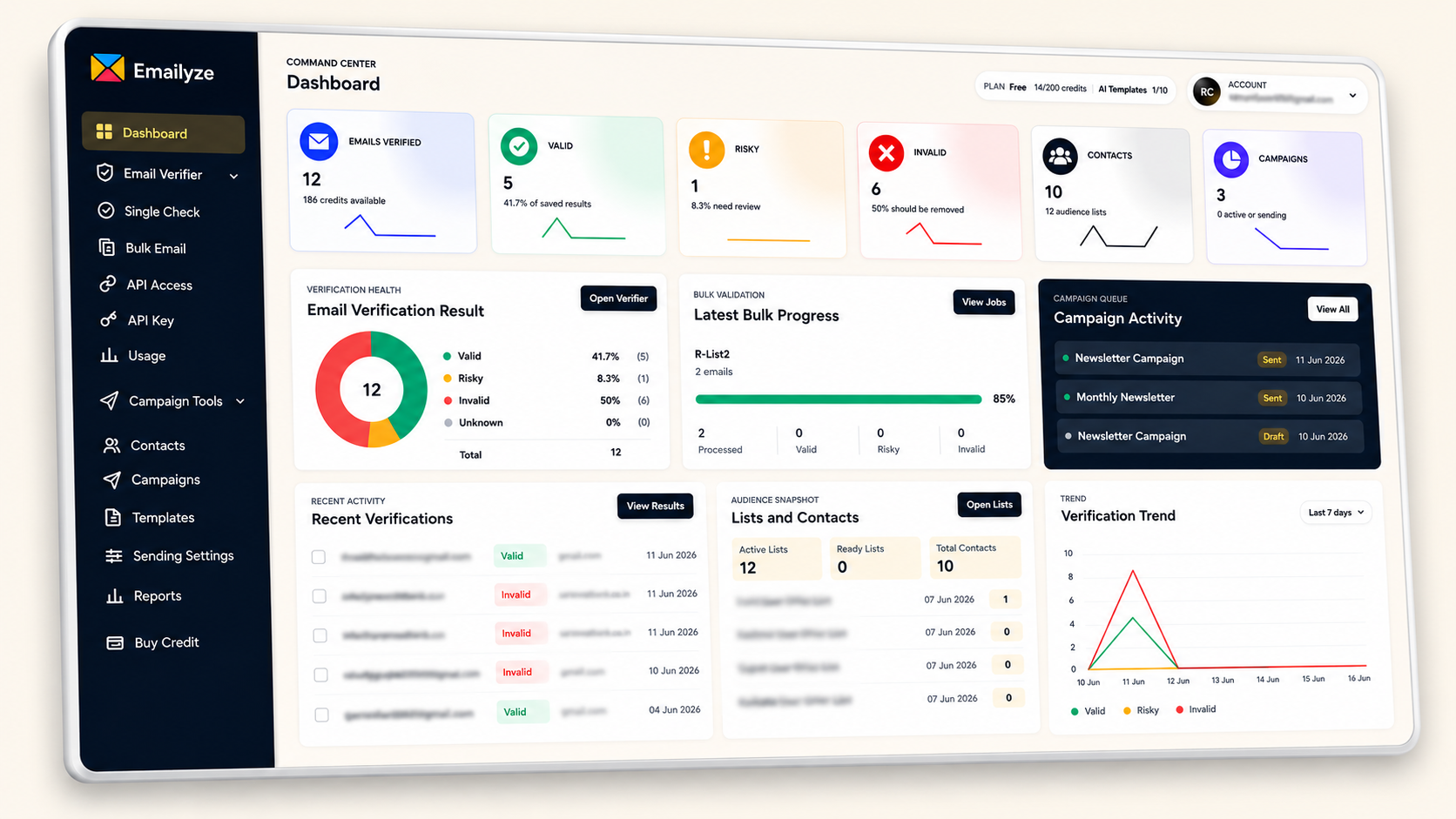
Dashboard preview
A product experience that feels connected from validation to reporting.
The marketing site mirrors the Emailyze dashboard so prospects understand the product before they sign up.
Enterprise-grade security
Secure and privacy-first email verification for serious teams.
Emailyze is built around safer handling of customer data, controlled access, and verification workflows that respect the privacy of every uploaded list.
Pricing preview
Simple plans for teams at every stage of outreach.
Free
200 validations$0/forever
For individuals testing verification and campaign workflows.
- Single email validation
- Bulk upload up to 100 emails
- API access locked
- 10 AI generations
- 1 campaign per day
Starter
10K validations$12.00/month
The best first upgrade for regular list validation.
- Single email validation
- Bulk upload up to 10,000 emails
- API access
- 300 AI generations
- 10 campaigns per day
Most Popular
Growth
100K validations$48.00/month
For growing teams running higher-volume campaigns.
- Single email validation
- Unlimited bulk upload
- API access
- 1,500 AI generations
- Unlimited campaigns
- Priority queue
- Advanced reports
Enterprise
Custom
For teams with higher volume, custom needs, or dedicated onboarding.
- Custom validation volume
- Dedicated account support
- Custom billing terms
- Workflow consultation
- Security review support
Early access
Built around the workflows modern outreach teams actually use.
Emailyze is being refined through practical testing and early feedback from users who need email verification, list hygiene, and campaign tools in one connected workspace.
One connected workflow
Verify contacts, build clean lists, create campaigns, and track results from one workspace.
Shaped by early feedback
Emailyze is being refined using practical feedback from testers and early users before wider launch.
Designed for clean outreach
Every major workflow starts with better list quality, clearer campaign preparation, and stronger visibility.
FAQ
Common questions before starting.
What does Emailyze verify?
Emailyze checks email quality signals such as syntax, domain signals, risk category, disposable patterns, and campaign readiness.
Can I upload bulk email lists?
Yes. Bulk CSV validation is available in the dashboard, with plan-based limits and downloadable results.
Can Emailyze send campaigns too?
Yes. The platform includes contact lists, templates, sender profiles, campaign queues, and reporting tools.
Is API access included?
API access is available on paid plans so developers can validate addresses from production workflows.
Start cleaner outreach